What is PicoClaw?
In one sentence: an ultra-lightweight AI assistant that runs on low-cost hardware.
PicoClaw is written from scratch in Go. It uses less than 10MB of RAM, boots in under 1 second, and supports x86, ARM, RISC-V, and LoongArch architectures. You can deploy it on a Raspberry Pi, an old phone, a NanoKVM, or even a $9.9 LicheeRV-Nano — and chat with it through Telegram, Discord, WeChat, Feishu, DingTalk, QQ, and 18+ other platforms.
It is not a fork of OpenClaw. PicoClaw is an independent open-source project initiated by Sipeed.
Currently 26K+ Stars on GitHub, with active contributions from developers worldwide.
Quick Links
- 🏠 Website & Download: picoclaw.io
- 📖 Documentation: docs.picoclaw.io
- 💻 GitHub: github.com/sipeed/picoclaw
- 🗺️ Roadmap: ROADMAP.md
- 📦 Latest Builds: Releases
- 💬 Discord Community: discord.gg/V4sAZ9XWpN
Getting Started
Download from:
- Fast download → picoclaw.io
- Latest builds → GitHub Releases
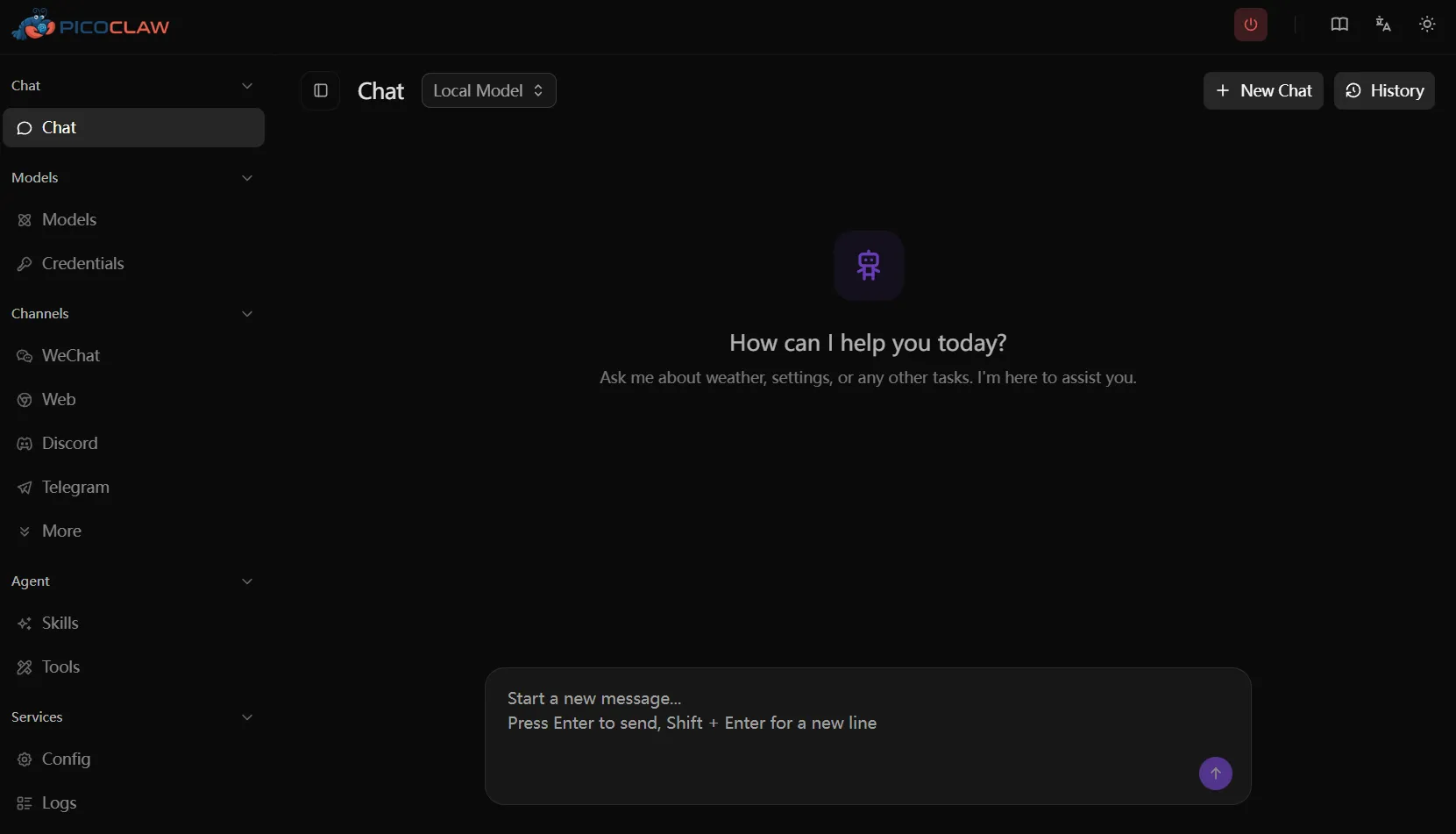
Option 1: Web Launcher (Recommended for Desktop)
Download, extract, and run picoclaw-launcher (or picoclaw-launcher.exe on Windows). Your browser will automatically open:
http://localhost:18800Configure and chat right in the browser — no command line needed.
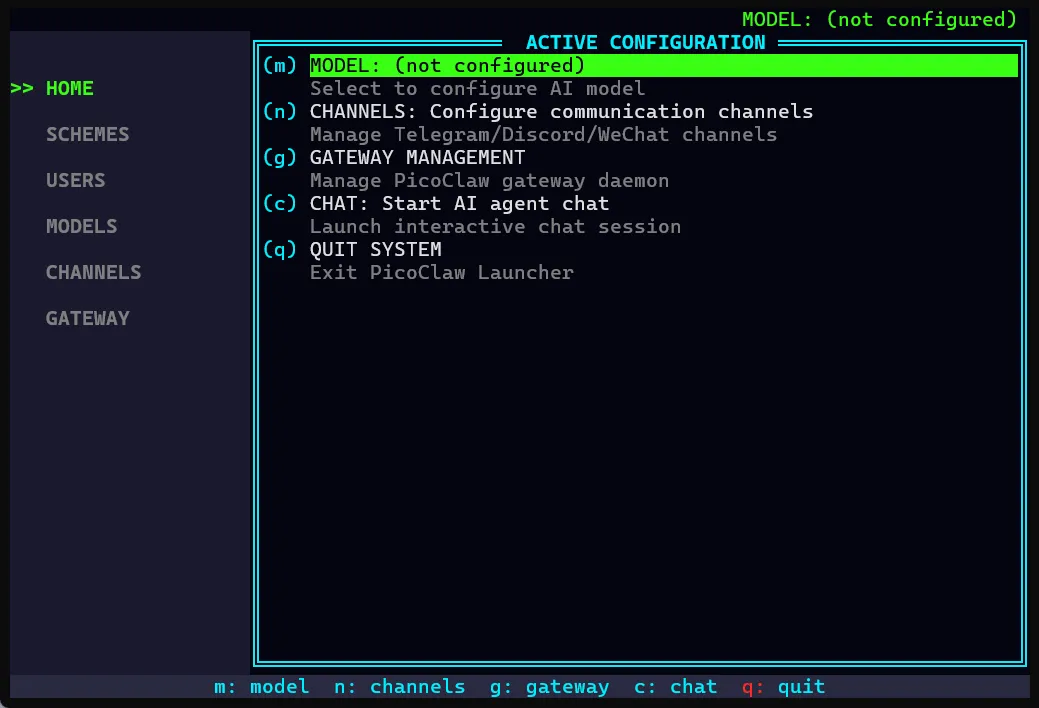
Option 2: TUI Launcher (Recommended for Servers / SSH)
Download, extract, and run in your terminal:
picoclaw-launcher-tuiFull-featured terminal UI, perfect for headless devices (Raspberry Pi, servers, etc.).
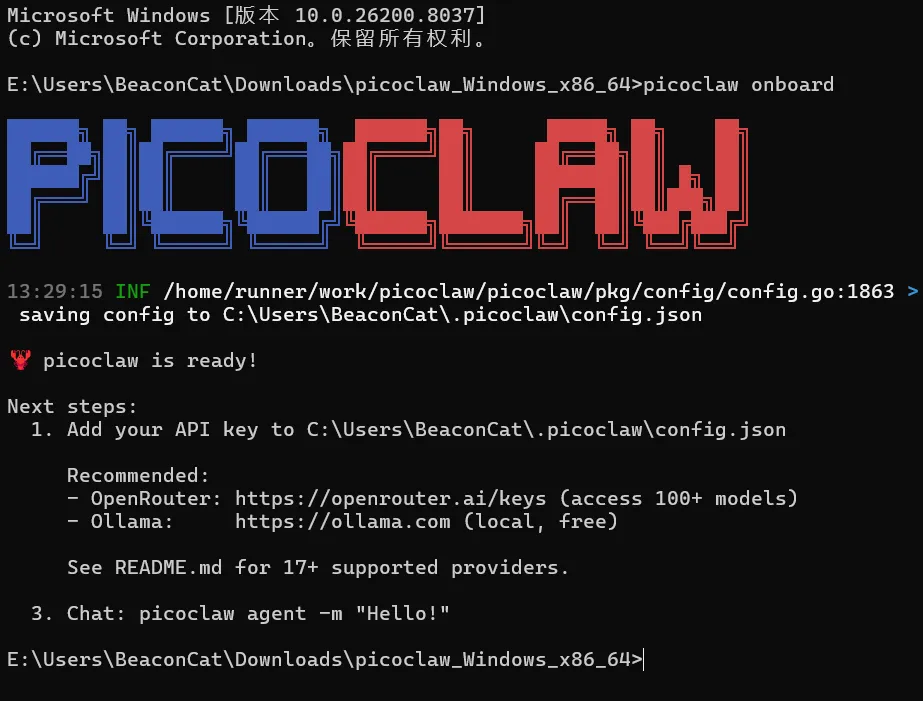
Option 3: Command Line
Three steps to get started:
- Download the binary for your platform
- Run
picoclaw onboardto initialize - Start chatting with
picoclaw agent
Want Docker? One command:
docker compose -f docker/docker-compose.yml up -dFull tutorial → docs.picoclaw.io
What Can It Do?
- 🔍 Web search and information gathering
- 📅 Schedule management and reminders
- 💻 Write code, fix bugs, deploy projects
- 🗣️ Voice-to-text with auto-reply
- 🔌 MCP protocol for unlimited tool extensions
- 🤖 Spawn sub-agents for parallel multi-tasking
Current Version: v0.2.4
- ✅ Agent architecture overhaul (Sub-turn concurrency, Hook system, Steering)
- ✅ WeChat personal account integration (scan to bind)
- ✅ WeCom channel complete rebuild
- ✅ Encrypted credential storage (.security.yml)
- ✅ Automatic sensitive data filtering
- ✅ New providers: AWS Bedrock, Azure OpenAI, and more
- ✅ Multi-key failover with virtual models
- ✅ TUI Launcher complete rewrite
- ✅ 35 bug fixes
Stay Connected
Follow PicoClaw on WeChat:

What to expect from us:
- 📢 Version update announcements
- 📝 Tutorials and best practices
- 🎯 Community events and meetups
- 🌍 Global AI Agent industry news
- 💡 Developer stories and contribution guides
Questions? Ideas? Join our community or leave a comment below.
Let’s Go, PicoClaw! 🦞